Website Enquiries Stopped? How the PHP2Shell Security Fix May Have Broken Your Contact Form
Last updated: 2026-10-23
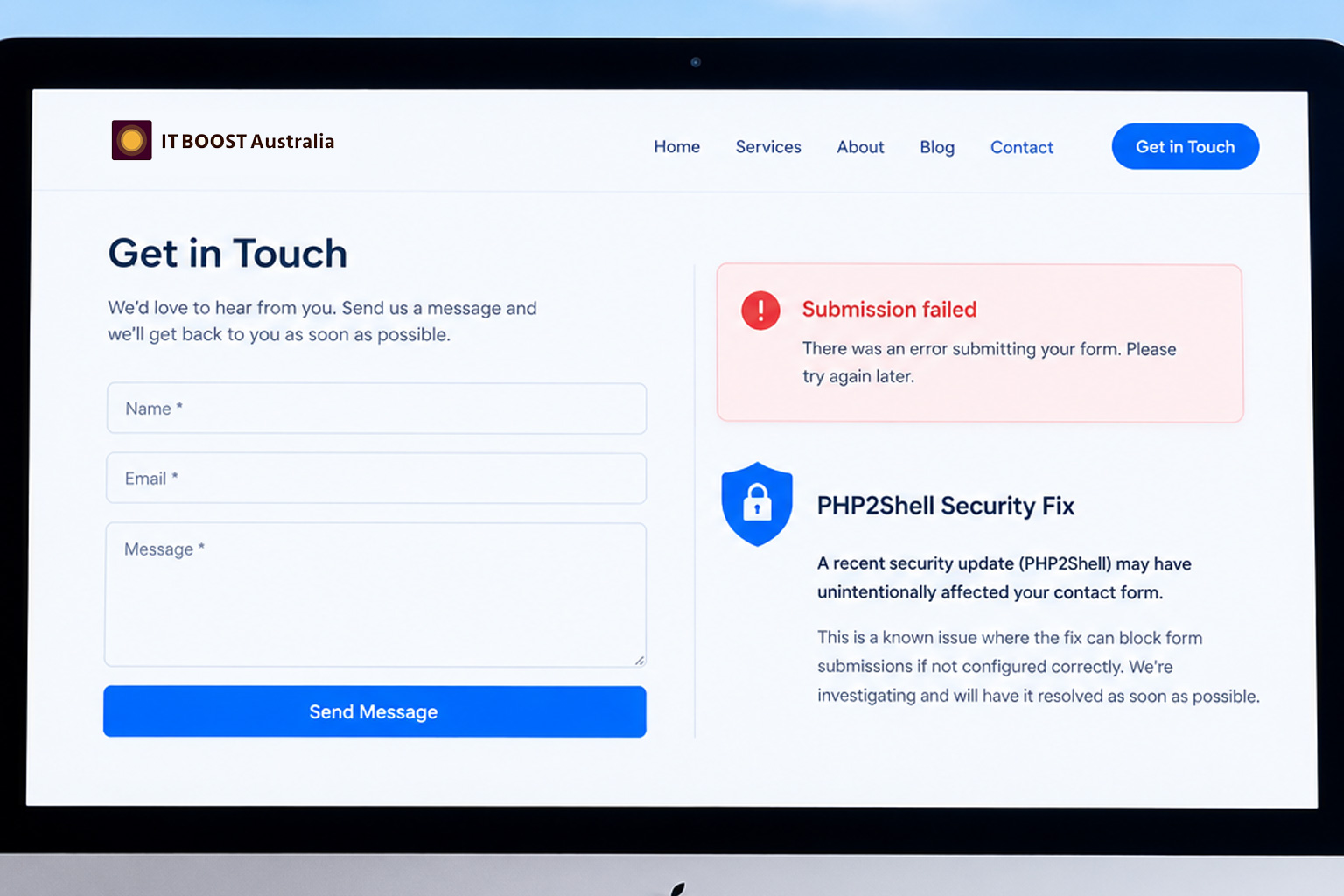
Has your website gone strangely quiet this week? No enquiries, no quote requests? This might be from the recent PHP2Shell Security Fix.
Has your website gone strangely quiet this week? No enquiries, no quote requests, no "contact us" emails, even though your traffic looks normal?
It might not be your marketing. A major security flaw in PHP, the software that powers most small business websites (including nearly every WordPress site), has led hosting providers across Australia to switch on emergency protections. Those protections have stopped some contact forms from working, often without any obvious error.
Here's what happened, how to check your own form in two minutes, and the simple change that keeps enquiries flowing.
What happened: "PHP2Shell" in plain English
On 20 October 2026, details of two critical PHP vulnerabilities became public. Security researchers nicknamed them "PHP2Shell". They're rated 9.2 out of 10 for severity, and they let an attacker take control of a web server with nothing more than a specially crafted web request. No password needed.
The weak spot is in how PHP handles a particular kind of form submission, the type browsers use when you upload a file. Attackers were already exploiting it in the wild.
To protect their customers while patches were prepared, many hosting providers temporarily blocked that type of form submission across their servers. Some also locked down features like webmail.
That was the right call. But it had a side effect: many contact forms send their data in exactly that format, even when there's no file attached. So when the block went up, those forms stopped getting through.
Most hosts have now patched their servers and lifted the temporary blocks. But some will keep the restrictions in place for websites running older PHP versions, and plenty of business owners still don't know their form was down for days.
Is your contact form affected? Check in two minutes
Common signs include:
- Enquiries dropped off suddenly from around 21 October
- The form shows an error such as "403 Forbidden", "Something went wrong" or "Submission failed"
- The send button spins forever, or nothing happens when you click it
- Visitors tell you by phone or social media that your form isn't working
To test it:
- Open your website on your phone, using mobile data rather than your office Wi-Fi.
- Fill in your contact form as a customer would, and submit it.
- Check that you see a success message on screen.
- Check that the enquiry actually arrives in your inbox (and your spam folder).
If any step fails, your form needs attention. It's also worth asking a friend or colleague to try it from their own device.
Your contact form doesn't need file uploads
Many contact forms include an "Attach a file" field: for photos, plans, CVs or documents. It seems handy, but for most small businesses it's not worth it.
- It's the riskiest part of your form. File upload fields are one of the most common ways attackers try to get malicious files onto a website, and they're exactly what this week's vulnerability targeted.
- It's the first thing to break. When hosts need to lock things down in an emergency, file uploads are usually the first feature to go.
- Email does the job better. Your customer can send photos or documents by replying to your response, and you can scan them with your email's built-in protection.
Our recommendation: keep your contact form to the essentials (name, email, phone and message) and add a simple line like "Have photos or documents? We'll reply by email and you can send them through then."
A simpler form also tends to get more enquiries. Fewer fields means less effort for your customer.
Other steps to protect your website
Update your PHP version. Hosts have patched the older PHP versions on their servers, but they're recommending websites move to PHP 8.3 or newer. Newer versions get security fixes for longer and usually run faster. You can usually change this yourself in your hosting control panel.
Before you change PHP, protect yourself:
- Take a full backup of your website.
- Update WordPress (or your CMS), plugins and themes.
- Check that your plugins and theme support PHP 8.3 or newer.
- Test your site, including your contact form, straight after the switch. If something breaks, switch back to the previous version.
Don't switch off your host's security protections. Some business owners have been given code to paste into their website settings that disables the temporary security rules. Unless your developer has confirmed you're fully patched and understands the risk, don't do it. If your site is compromised as a result, your host is unlikely to help clean it up.
Subscribe to your host's status page. Most hosting providers publish incident updates on a status page. Subscribing means you'll hear about the next emergency before your customers do.
For developers: the one-line fix
If your custom contact form submits with JavaScript, the problem may be how the data is sent. Passing a FormData object straight to fetch() makes the browser send it as multipart/form-data, the format hosts have been blocking because it's where the PHP2Shell flaw lives. The result is a 403 response, even with no file in the form.
Before:
fetch(saveUrl, {
  method: 'POST',
  body: formData
})
After:
fetch(saveUrl, {
  method: 'POST',
  body: new URLSearchParams(formData)
})
Wrapping the data in URLSearchParams sends the same fields as application/x-www-form-urlencoded, the standard format for simple text forms. PHP still reads it into $_POST as normal, so no server-side changes are needed.
This isn't a workaround for the security rules. The request simply no longer uses the multipart format, so it never touches the vulnerable code path.
A few things to watch:
- Text fields only.
URLSearchParamscan't carry files. Any file field will be converted to text and never uploaded, so only use this on forms without file inputs. - Don't set the Content-Type header yourself. The browser sets it correctly for you.
- Patching is the real fix. This change makes your form more resilient, but make sure your server's PHP is patched and up to date.
How IT BOOST Australia can help
If your enquiries have dried up, or you're not sure whether your website is safe, we can help:
- Test and fix your contact form so every enquiry reaches your inbox
- Simplify your form and remove risky file upload fields
- Safely upgrade your website to PHP 8.3 or newer, with a full backup first
- Keep WordPress, plugins and themes updated and secure
Get in touch with the IT BOOST Australia team and we'll make sure your website is working for you, not against you.
Disclaimer
This article is provided free of charge for public information. We do not guarantee, and accept no legal liability for, the accuracy, reliability, currency, or completeness of the content or any linked material. Users should apply their own judgment and verify the material’s relevance to their needs. This article is a general summary and not a substitute for legal or professional advice. Users should seek appropriate advice for their circumstances. Any third-party views expressed do not necessarily reflect ours or imply endorsement.
Sources
Terminologies used in this article
- CMS
- A Content Management System (CMS) is software that allows users to create, edit, organise, and manage website content without needing advanced programming knowledge. At IT BOOST Australia, we have designed and built our own CMS which is a great fit for Australian businesses. Also see headless CMS.
- Code
- In web development, code refers to the programming languages and instructions used to build and operate a website. Well-written code can improve website performance, security, and maintainability.